Delete your data
Permanently erases everything stored in your vault — checklists, documents, and details — while keeping your login so you can start fresh later if you choose.
Keeps your login · erases your vault
FinalKey belongs to you — and so does the decision to leave. Deleting takes about a minute, right from the app. Here's exactly how, step by step.
Permanently erases everything stored in your vault — checklists, documents, and details — while keeping your login so you can start fresh later if you choose.
Keeps your login · erases your vaultPermanently erases your vault and your login. Your account, your data, and your credentials are all removed — as if you were never here.
Erases everything, including loginPlease choose gently — deletion cannot be undone. Once confirmed, your information is permanently removed and can't be recovered, even by us. If you subscribed through the App Store or Google Play, remember to also cancel the subscription in your store settings.
No phone calls, no emails, no hoops. Everything happens on your device.
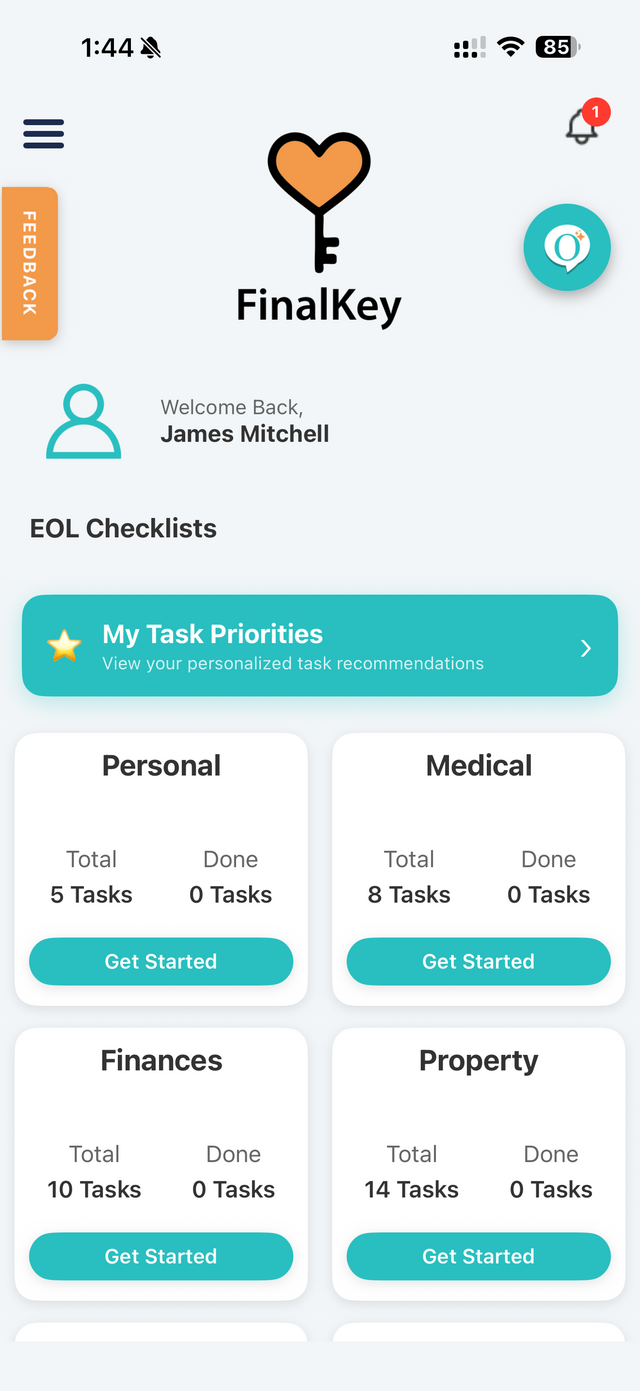
From your dashboard, tap the three-line menu in the top-left corner. A panel slides out — tap My Profile.
You can also reach your profile by tapping Account in the bottom-right corner of the dashboard.

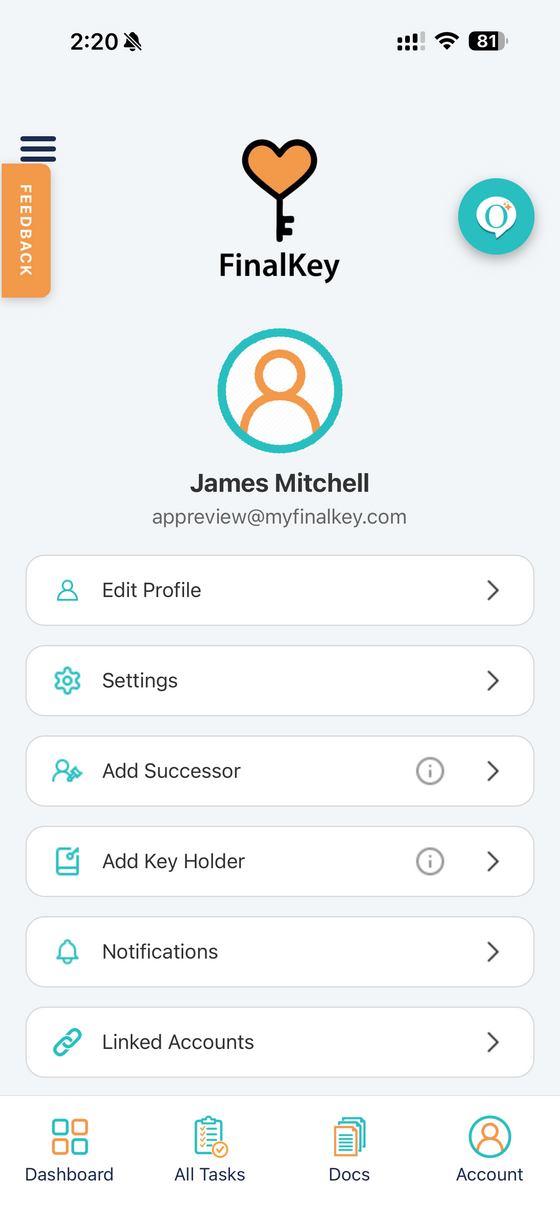
On your profile screen, tap Settings — it's near the top of the list, just under Edit Profile.
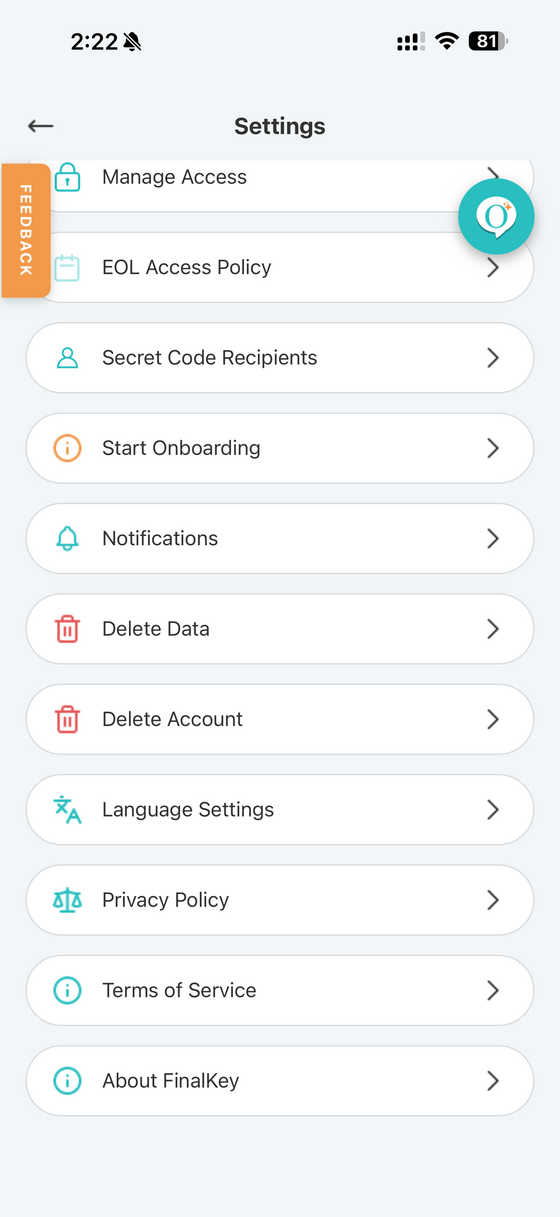
Scroll to find both options in Settings. Delete Data erases your vault but keeps your login. Delete Account erases everything — vault and login alike.
Not sure which you need? If you might come back someday, choose Delete Data.
As one final safeguard, type the word DELETE into the boxes and confirm. That's it — your information is permanently removed.
If you ever change your mind before this step, just tap the back arrow — nothing is deleted until you confirm here.
This action cannot be undone. All your stored data will be permanently deleted.
Our FAQ covers what happens to your Keyholders, your documents, your subscription, and more — in plain words.